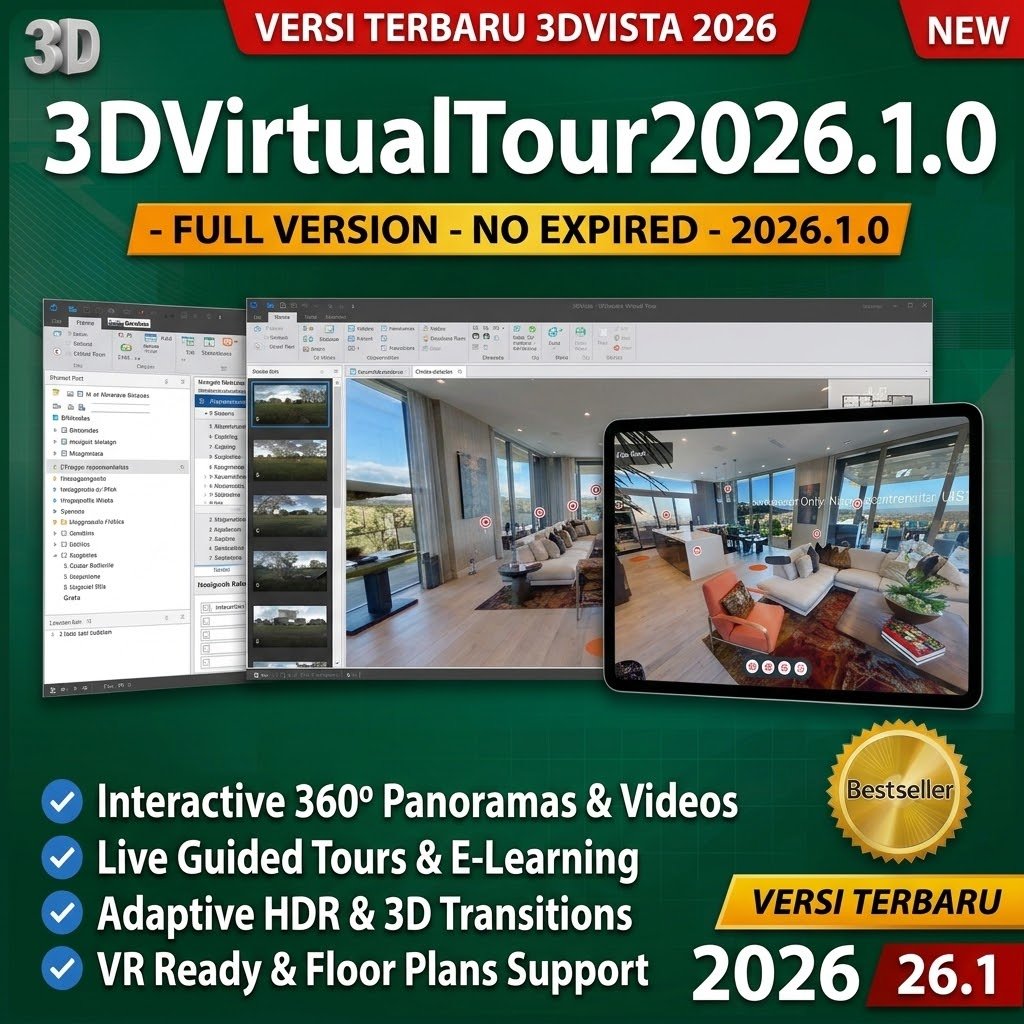
Description
Elevate your visual storytelling with the industry-standard 3DVista Virtual Tour Suite. This all-in-one bundle integrates high-precision automated panoramic image stitching with the most advanced interactive virtual tour builder on the market.
Generate clean, lightweight, standards-compliant HTML5 outputs that are 100% self-hosted on your own web servers—eliminating ongoing subscription fees and third-party platform lock-in. Your tours load instantly across desktop browsers, tablets, iOS/Android mobile devices, and standalone VR headsets.
Key Suite Benefits:
-
Unified Workflow: Move directly from raw camera bracket shoots to final published interactive tours without switching ecosystems.
-
100% Data Ownership & Self-Hosting: Host output files on your own domain, CDN, or local offline systems with zero recurring hosting costs.
-
Unlimited Interactivity: Embed rich media hotspots, multi-floor architectural plans, 360° interactive videos, audio narration, and conditional action logic.
-
Adaptive Multi-Resolution Delivery: Automatically generates multi-tier image pyramids so tours load crisply and instantaneously across any connection speed.
3DVista Virtual Tour Pro – Interactive 360° Virtual Tour & VR Authoring Software
Product Overview:
3DVista Virtual Tour Pro is professional-grade software that empowers photographers, interior designers, and agencies to build immersive, interactive multimedia tours from 360° panoramas, 360° videos, and standard still photography through an intuitive visual workspace.
Core Features:
-
Rich Media Hotspot Engine: Trigger pop-up image galleries, informational text cards, spatial directional audio, embedded YouTube/MP4 video overlays, external URLs, and downloadable files.
-
Live Panoramas & 360° Video: Seamlessly blend time-lapse transitions (day-to-night cycles) and fully interactive 360° video streams into a unified virtual experience.
-
One-Click VR Deployment: Native compatibility with Meta Quest, HTC Vive, Pico, and mobile Cardboard/VR headsets without additional plugins or configuration.
-
Interactive Floor Plans & Radar: Embed multi-story floor layouts with dynamic direction-facing radar beams that track visitor movement in real time.
-
Custom UI & Skin Builder: Complete visual control over interface controls, branded themes, custom logos, navigation panels, and interactive elements.
-
Universal HTML5 Export: Multi-device compatible output running directly in modern web browsers without Flash or third-party viewer dependencies.
3DVista Stitcher
Product Title:
3DVista Stitcher – High-Precision 360° Panoramic Image Stitching & HDR Engine
Product Overview:
3DVista Stitcher is a dedicated panoramic image processing engine built to convert multiple overlapping camera exposures into flawless full-spherical (360° x 180° equirectangular) panoramas with pixel-perfect alignment and natural color transitions.
Core Features:
-
Intelligent Auto-Stitching: Automatically identifies control points across overlapping shots to align complex scenes in seconds.
-
Comprehensive Lens Support: Fully compatible with standard focal lengths, ultra-wide primes, full-frame/circular fisheye lenses, aerial drone cameras, and multi-lens 360 rigs.
-
Lens Distortion & Vignette Correction: Automatically compensates for chromatic aberrations, optical curvature, and lens edge falloff.
-
Integrated Multi-Exposure HDR: Fuses bracketed shots automatically to retain crisp highlight retention and clean shadow detail across high-contrast environments.
-
Seamless Blending & Exposure Matching: Eliminates noticeable seam lines and levels uneven exposure variations between adjacent camera angles.
-
High-Volume Batch Processing: Queue and render dozens of multi-bracket panoramic sets simultaneously without manual supervision.
System Requirements & Technical Specifications
| Parameter | Recommended Specification |
| Operating System | Windows 10 / Windows 11 (64-bit) |
| Processor (CPU) | Intel Core i5 / i7 / i9 (8th Gen+) or AMD Ryzen 5 / 7 / 9 |
| System Memory (RAM) | 8 GB minimum (16 GB to 32 GB recommended for high-resolution 8K+ rendering) |
| Graphics (GPU) | Dedicated NVIDIA GeForce GTX/RTX or AMD Radeon graphics card with 4 GB+ VRAM |
| Storage | 5 GB available disk space (High-speed NVMe SSD recommended) |
| Output Formats | Multi-resolution HTML5, Equirectangular JPG/TIFF, Cubefaces, Standalone VR packages |
What Is 3DVista Virtual Tour Suite?
3DVista Virtual Tour Suite (also called 3DVista VT PRO) is a professional desktop software for creating interactive 360° virtual tours. Developed by 3DVista, a Barcelona-based company founded in 1999, it is one of the most feature-rich virtual tour authoring platforms available — consistently ranked among the top choices by professional photographers, real estate agents, architects, and multimedia producers.
The software’s defining characteristic is its one-time payment model in a market dominated by monthly subscriptions. You purchase a license once and create unlimited tours forever, making it economically compelling for professionals who produce tours regularly.
The current version, 3DVista VT PRO 2026, includes all the features from previous generations plus newer additions: automatic panorama connection, live panorama creation, adaptive HDR, 360° video with dynamic hotspots, 3D model integration, e-learning tools with LMS integration, and the Live Guided Tour video call feature.
Who Uses 3DVista Virtual Tour Suite?
- Real estate photographers and agents showcasing properties with immersive 360° walkthroughs
- Architectural visualization firms presenting planned construction projects as stereo panorama walkthroughs
- Tourism and hospitality businesses — hotels, museums, cultural heritage sites offering virtual visits
- Corporate communications teams — factory tours, campus orientation, facility showcases
- E-learning content developers creating immersive training environments with scoring and LMS integration
- Wedding and event photographers offering venue tours to clients
- Construction companies documenting project progress with sequential panoramas
- Industrial facilities (like ABB’s factories) giving customers virtual access to manufacturing operations
Core Features
360° Panoramas — The Foundation
The core of every 3DVista tour is the panoramic scene. 3DVista works with equirectangular panoramas (the standard output from 360° cameras and stitching software). Compatible cameras include all major brands: Ricoh Theta (Z1, V, S/C), Insta360 (ONE X, Pro, Titan), GoPro (Fusion, Max), Qoocam 8K, and panoramas stitched from DSLR sequences.
Once imported, panoramas can be:
- Connected to each other via navigation hotspots for a walkthrough experience
- Enhanced with all of 3DVista’s interactive elements
- Color-graded within the software
- Displayed with multi-resolution streaming for fast loading on slow connections
Auto-Connect Panoramas (New in recent versions): For projects with dozens or hundreds of panoramas taken close to each other, 3DVista can automatically detect positional relationships and create navigation hotspots between neighboring panoramas. This eliminates one of the most tedious parts of large-tour workflows — manually linking every panorama to its neighbors.
Hotspots — The Interactive Layer
Hotspots are the clickable interactive elements placed on panoramas that make tours engaging rather than passive. 3DVista’s hotspot system is among the most capable in the market:
Hotspot types:
- Floating hotspots — always face the viewer regardless of where they look; ideal for navigation and information labels
- Sticker hotspots — anchored to a specific surface in the panorama with perspective distortion; appear as if physically attached to walls, floors, or objects
- Chroma hotspots — enable transparency and blending effects for realistic integration
Hotspot actions (what happens when clicked):
- Navigate to another panorama
- Open a popup image, PDF, or document
- Open a video (standard or 360°)
- Open a 3D model for interactive viewing
- Launch a purchase window (e-commerce integration)
- Open a website or web page
- Trigger audio playback
- Download a file
- Execute custom JavaScript actions
Dynamic hotspots in 360° video: Hotspots can move, appear, disappear, and resize in sync with moving objects in 360° video — a capability that enables interactive video scenarios where clickable elements track real-world objects.
Live Panorama — Day-to-Night and Time Effects
The Live Panorama feature blends multiple panoramas taken from the same location at different times to create an interactive time-lapse within a 360° view. As viewers explore the scene, light shifts, shadows move, and atmospheric conditions change.
Practical applications:
- Real estate: show the same property at dawn, midday, and dusk
- Architecture: demonstrate how natural light changes through a building throughout the day
- Event venues: show a space both empty and filled with people
- Retail: show seasonal merchandise displays
This feature is unique to 3DVista among mainstream virtual tour platforms.
Animated Panorama
Beyond static panoramas, 3DVista supports animated panoramas — still panoramic images with added video loops composited onto specific elements. Examples include adding moving water to a fountain, animated fire to a fireplace, or moving clouds to a sky.
The effect creates the impression of a living photograph — the panorama appears static at first glance but contains subtle motion that adds realism and visual interest.
Adaptive HDR Panorama
Standard HDR panoramas display at a single exposure regardless of where in the scene the viewer is looking. Adaptive HDR dynamically adjusts brightness and exposure based on the area of the panorama currently in view — mimicking how the human eye adjusts when looking from a dark room toward a bright window.
When a viewer looks toward a bright exterior through a window, the exposure brightens the outdoor view. When they look back into the darker interior, the image darkens to match. This creates a more natural, comfortable viewing experience that reduces eye strain on high-contrast interior/exterior scenes.
360° Video with Hotspots
3DVista supports both standard 180°/360° video and stereoscopic 3D video, integrating seamlessly into tours alongside panoramic still images.
360° video hotspots can be:
- Placed at fixed positions in the video
- Made dynamic — moving with objects in the scene, appearing and disappearing on cue, resizing as subjects approach or recede
This enables interactive documentary-style content where viewers can click on people, objects, or locations within moving footage to access additional information.
3D Model Integration
3DVista supports direct import of 3D models, enabling a new category of virtual experience beyond panoramic photography:
- Import existing 3D models (from CAD software, architectural renderers, game engines)
- Control camera angles, lighting, shadows, animations, and textures in the 3DVista editor
- Create interactive product configurators (as in 3DVista’s example of a classic car with customizable color and trim options)
- Connect 3D model views with panoramic photography for seamless transitions between rendered environments and real photographs
This feature bridges the gap between architectural visualization (which has traditionally used dedicated 3D software) and interactive virtual tours.
Floor Plans and Maps
Interactive floor plans provide spatial orientation within a tour — helping viewers understand where they are relative to the overall space and navigate directly to rooms or areas of interest.
Features:
- Upload any floor plan or map image
- Add hotspots to specific rooms/areas that jump directly to the corresponding panorama
- Live radar — a compass indicator that shows the viewer’s current heading direction within the floor plan context at all times
- Multi-floor navigation — separate floor plans linked for multi-story buildings
- Custom styling to match branding
Skins and Tour Appearance Customization
Skins are the graphic frame around the virtual tour — the navigation interface, buttons, logos, branding elements, and overlays that viewers see while exploring. 3DVista provides:
- Pre-designed skin library covering common professional styles
- Full customization of every element: colors, fonts, button shapes, positions
- Import custom graphics and logos
- Responsive layouts for different screen sizes (desktop, tablet, mobile)
- Show/hide skin elements based on context (e.g., different navigation on mobile vs. desktop)
The level of skin customization in 3DVista is significantly deeper than cloud-based competitors, enabling tours that appear completely branded to a client without any visible 3DVista branding.
E-Learning and Training Tours
3DVista includes a dedicated e-learning module that transforms virtual tours into interactive training environments:
Question Cards: Embed multiple-choice questions at any point in the tour. Viewers answer questions before proceeding. Used for safety training, compliance training, onboarding, and educational content.
Count to Score / Gamification: Set up scoring systems where viewers accumulate points by finding specific objects, answering correctly, or completing tasks. Includes health/life counters for game-like scenarios.
LMS Integration: Connect tour completion data and quiz scores to Learning Management Systems (LMS) via SCORM, xAPI (Tin Can), or direct webhooks. This is the critical feature for corporate training departments — tour scores feed directly into existing training tracking systems.
Hazard Detection Training: Tours where viewers must identify safety hazards within a 360° scene — a format widely used for workplace safety training and compliance documentation.
Live Guided Tours
Live Guided Tours is a video call feature built directly into 3DVista tours. A tour guide (agent, presenter, specialist) can join a viewer inside a virtual tour for a live co-navigation session:
- Guide and viewer see the same panorama simultaneously
- Guide can control navigation while the viewer watches
- Simultaneous video call with audio for real-time conversation
- No additional software needed for the viewer — works in any browser
This feature is particularly valuable for:
- Real estate agents conducting virtual property showings
- Hotel concierge teams giving personalized virtual venue tours
- Sales teams demonstrating complex products or facilities remotely
- Educational institutions conducting live virtual field trips
VR Compatibility
All 3DVista tours are VR-ready. A button within the tour allows viewers to switch from standard 360° viewing to VR mode — compatible with Google Cardboard, Samsung Gear VR, Oculus (Meta Quest), and other WebVR-capable headsets.
Stereoscopic panorama support: 3DVista is one of the few virtual tour platforms supporting true stereoscopic 3D panoramas — where left-eye and right-eye images are provided separately, creating genuine depth perception in VR headsets. This produces a dramatically more realistic VR experience than mono panoramas viewed in VR mode.
Publishing Options
Completed tours can be published in multiple formats:
- Upload to 3DVista hosting — one-click upload to the included hosting service; generates a shareable URL and embed code
- Self-hosted / Download — download the complete HTML5 tour package to host on your own web server with no ongoing fees to 3DVista
- Standalone executable — export as a Windows .EXE file for offline use (trade shows, presentations without internet)
- Embed code — embed tours directly into any website via iframe
- Offline HTML — generate a complete self-contained tour that runs from a USB drive or local folder
The self-hosting option is particularly significant for professionals who want to host tours on their own domain with their own branding without recurring hosting payments.
Analytics
3DVista’s hosted tours include real-time analytics tracking:
- Tour views and unique visitors
- Time spent per panorama
- Hotspot interaction rates
- Geographic visitor data
- Device breakdown (desktop, mobile, VR)
These metrics help photographers and agencies demonstrate ROI to clients and identify which areas of a tour generate the most engagement.
3DVista vs. Competing Virtual Tour Software
| Feature | 3DVista VT PRO | Matterport | Pano2VR | Kuula Pro | CloudPano |
|---|---|---|---|---|---|
| Pricing model | ✅ One-time €499 | ❌ Monthly $69–$309 | ✅ One-time €449 | ❌ Monthly $16–$23 | ❌ Monthly $47+ |
| Subscription required | ❌ No | ✅ Yes | ❌ No | ✅ Yes | ✅ Yes |
| 3D dollhouse effect | ❌ | ✅ Signature feature | ❌ | ❌ | ❌ |
| Live panorama (day-night) | ✅ Unique | ❌ | ❌ | ❌ | ❌ |
| 360° video hotspots | ✅ Dynamic | ❌ | Limited | ❌ | ❌ |
| 3D model integration | ✅ | ❌ | ❌ | ❌ | ❌ |
| E-learning / LMS | ✅ Full SCORM | ❌ | ❌ | ❌ | ❌ |
| Live guided tours (video call) | ✅ | ❌ | ❌ | ❌ | ❌ |
| Stereoscopic VR | ✅ | ❌ | ❌ | ❌ | ❌ |
| Adaptive HDR | ✅ | ❌ | ❌ | ❌ | ❌ |
| Skin / branding customization | ✅ Full | Limited | ✅ Full | Limited | Limited |
| Offline / self-hosted output | ✅ | ❌ | ✅ | ❌ | ❌ |
| Standalone EXE output | ✅ | ❌ | ❌ | ❌ | ❌ |
| Floor plan with live radar | ✅ | ✅ | ✅ | ✅ | ✅ |
| Auto panorama connection | ✅ New | N/A | Limited | N/A | N/A |
| Analytics | ✅ | ✅ | ❌ | ✅ | ✅ |
| Learning curve | High | Low | High | Low-Medium | Low |
Choose 3DVista when: You need the most feature-complete virtual tour platform with no recurring costs, create tours for diverse industries (real estate + corporate + e-learning), need offline/self-hosted output, or want features like Live Panorama, stereoscopic VR, or LMS integration that competitors don’t offer.
Choose Matterport when: The 3D dollhouse effect and automated floor plan generation from LiDAR scanning are priorities, your clients specifically request Matterport tours, or you need the simplest workflow for high-volume real estate photography with minimal post-production.
Choose Pano2VR when: You are a technically skilled user who needs maximum customization through code-level control, or want to create standalone HTML5 tours with complex multi-resolution streaming and skin systems without ongoing subscription costs. The learning curve is comparable to 3DVista.
Choose Kuula when: You need the fastest workflow for straightforward real estate tours, want a simple web-based editor without desktop software installation, and the ongoing subscription cost is acceptable for your volume.


Reviews
There are no reviews yet.